Client Statuses
Each client in your coaching account has a status:
| Status | Meaning |
|---|---|
| Pending | Client created, not yet invited. Plan their training before they sign up. |
| Active | Currently coaching. Counts toward monthly usage. |
| Inactive | Coaching paused. Does not count toward monthly usage. |
Changing Status
Status changes from Pending to Active automatically when a client accepts your invitation and signs up.
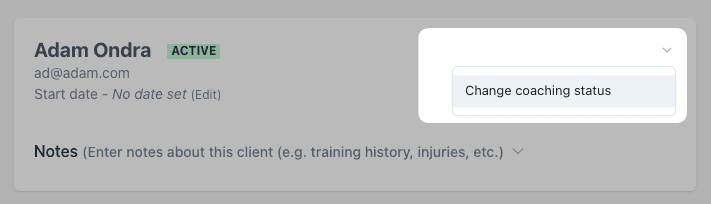
To change status manually, go to the client’s details page, click the menu icon, and select the status.
Related
- Adding Clients — invite new clients to your roster
- Coach Mode — plan training for your clients
- Billing — what you pay per active client
- Coaching overview — all coaching features