Logbook
The Logbook widget records your climbing: routes, boulders, grades, locations, and ascent styles. Use it indoors or outdoors to build a history of your climbing.
Adding a Logbook Widget
Open your workout
Navigate to the workout where you want to add climbing logging.
Add the widget
Click Add Widget and select Logbook.
Choose the type
Pick from: Route, Boulder, Route (Indoor), Boulder (Indoor), or Route (Mixed/Ice).
Keep workouts focused with one logbook type. If you need flexibility, such as an outdoor session that might move indoors, add both Route and Route (Indoor) widgets.
Configuring Your Logbook
Go to Workouts → Widgets → Logbook to configure:
- Grade Scale — YDS, French, Ewbank, British Trad, Hueco, Font, Mixed/Ice, etc.
- Entry Flags — Customise flags like “Repeat”, “Top rope”, “Exclude from stats”. Use flags to keep your statistics clean, for example to track repeats or top rope versus lead.
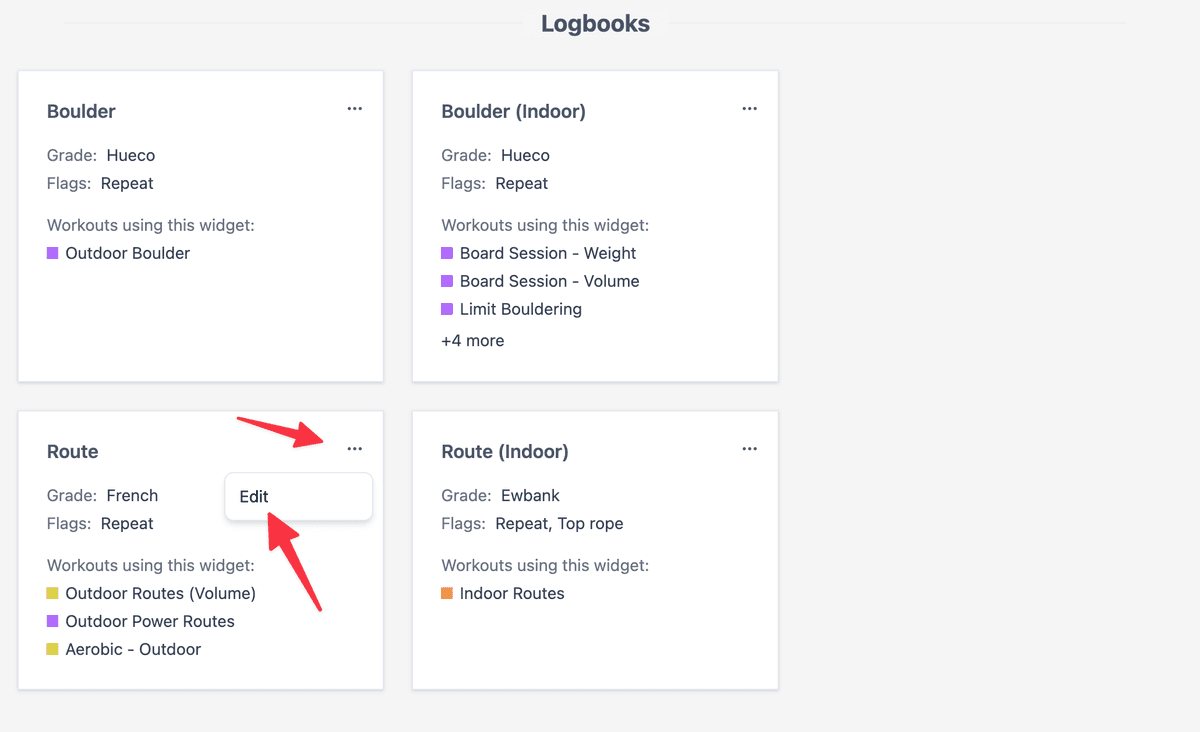
If you’re travelling overseas, you can temporarily switch your grade scale and change it back when you return. Your stats convert automatically.
When you edit an existing logbook entry, the grade picker uses your current grade scale and regrades the saved entry automatically.
Grade Scales
Route Grades
| Scale | Description | Example Grades |
|---|---|---|
| YDS | Yosemite Decimal System (USA) | 5.10a, 5.12c |
| French | French sport climbing grades | 6a, 7b+, 8a |
| Ewbank | Australian/NZ system | 18, 25, 32 |
| British Trad | UK traditional climbing grades | HVS 5a, E2 5c |
British Trad Grades
British Trad grades have two components:
| Component | Description | Examples |
|---|---|---|
| Adjectival | Overall difficulty and seriousness | Mod, Diff, VDiff, HVD, Sev, HS, VS, HVS, E1–E12 |
| Technical | Hardest move difficulty | 3a–8c |
When logging British Trad climbs, you select each component from its own dropdown. The two selections combine to form the complete grade (e.g. selecting HVS and 5a gives you HVS 5a). Both dropdowns show the full range of options, and you can select them in either order.
Boulder Grades
| Scale | Description | Example Grades |
|---|---|---|
| Hueco | V-scale (USA) | V3, V8, V12 |
| Font | Fontainebleau (Europe) | 6A, 7A+, 8B |
Mixed/Ice Grades
The Mixed / Ice grade scale is designed for mixed climbing and ice routes. It includes three grade types, shown in a multi-column selector:
| Grade Type | Range | Description |
|---|---|---|
| M grades | M4–M15 | Mixed climbing difficulty (rock and ice) |
| D grades | D4–D15 | Dry tooling difficulty |
| WI grades | WI1–WI7 | Water ice difficulty |
Mixed/Ice logbooks use a dedicated grade scale and cannot be switched to other route scales. Create a separate Route logbook if you also climb rock routes.
Logging Climbs
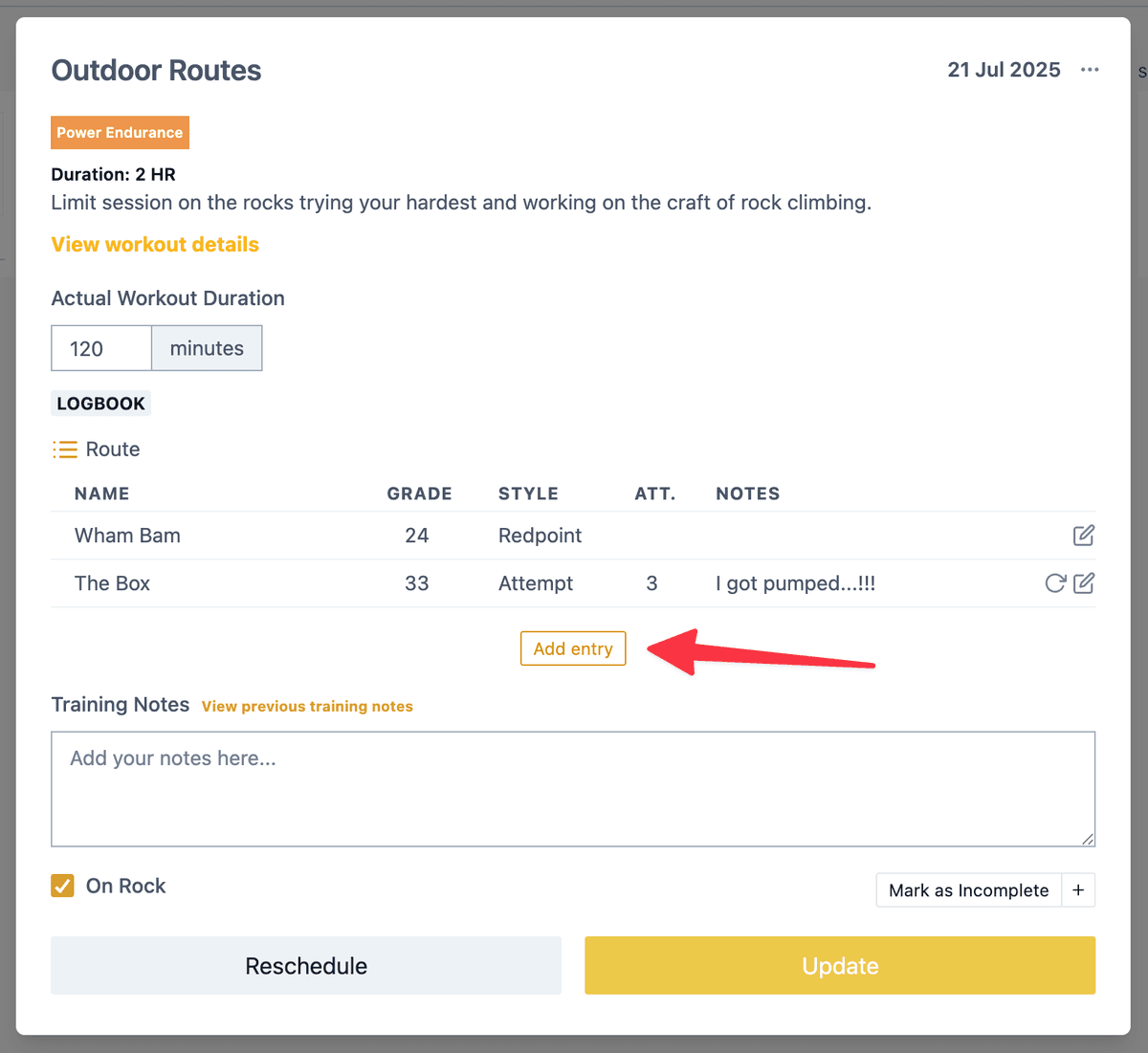
Each entry captures:
| Field | Description |
|---|---|
| Name | Route/boulder name (optional, autocompletes from history) |
| Grade | Selected from your configured scale |
| Location | Crag, gym, or area (autocompletes from history) |
| Style | How you climbed it (see below) |
| Attempts | Number of tries (empty = 1) |
| Notes | Beta, conditions, or other details |
Use consistent location names for better filtering.
You don’t need to log every climb. For indoor bouldering, focus on the highlights of limit and volume sessions rather than every warm-up. Outdoors, log warm-ups too: tracking volume helps you assess performance patterns.
Ascent Styles
- Onsight — First attempt, no prior knowledge
- Flash — First attempt with beta
- Redpoint — Sent after previous attempts
- Attempt — Tried to send, unsuccessful
- Work — Practised moves without intent to complete
- Repeat — Previously completed route
Viewing Your Data
Grade Pyramids
Go to Metrics → Logbooks to see your grade pyramid and statistics.
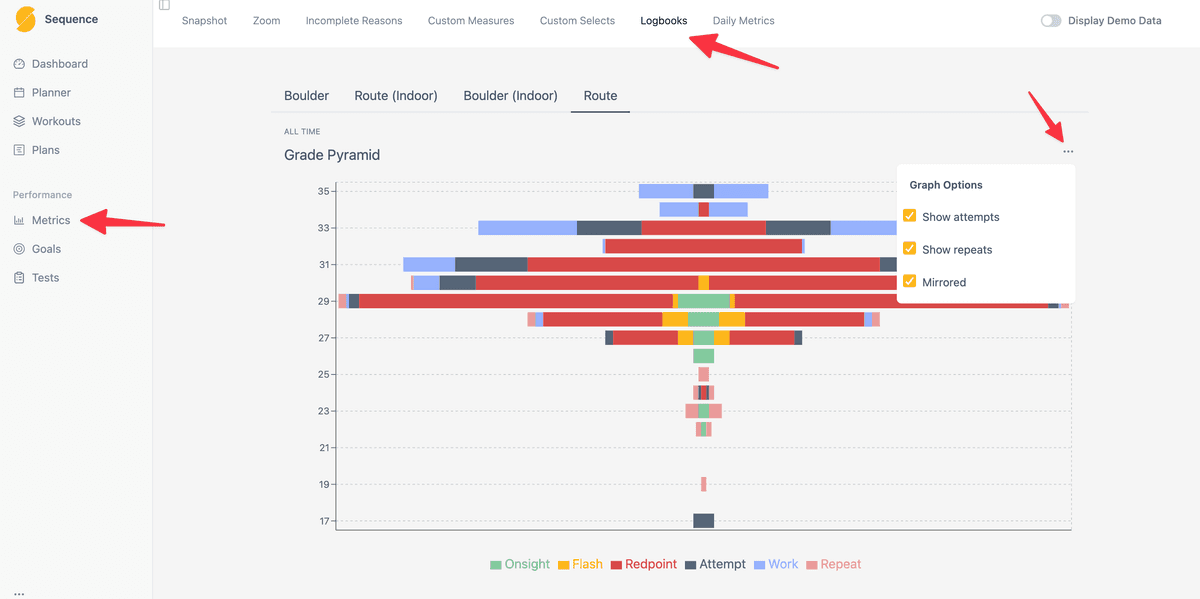
You can:
- Toggle repeats and attempts on/off
- Switch between pyramid and bar chart views
- Edit any past entry directly
Pitches Tab (Route Logbooks)
Route logbooks include a Pitches tab that tracks your climbing volume over time. To open it, go to Metrics → Logbooks, select a route logbook, then click the Pitches tab.
Time Periods
Switch between different aggregations of your climbing volume:
| Period | Description |
|---|---|
| Sessions | Pitches per climbing day |
| Weekly | Pitches per week |
| Monthly | Pitches per month |
| Yearly | Pitches per year |
Pitch Counts
Each period shows two pitch totals:
| Metric | Description |
|---|---|
| Pitches | Total number of pitches climbed (all ascent styles) |
| Clean Pitches | Pitches completed cleanly — onsight, flash, or redpoint only |
Each period also breaks your pitches down by ascent style, with counts for onsight, flash, redpoint, attempt, work, and repeat ascents.
Graph and Table Views
Toggle between:
- Graph — Bar chart showing pitch totals over time with milestones and goals displayed
- Table — Detailed breakdown with pitch counts, clean pitches, and style totals per period
Your display preference is saved between visits.
Statistics
The Pitches tab calculates:
- Total — Sum of pitches in the selected date range
- Average — Mean pitches per period (partial periods excluded)
- Rolling Average — Trend line smoothing out day-to-day variation
Partial periods, like the current incomplete week, are visually marked.
Goals and Milestones
If you have active goals or milestones, they appear on the pitch graph, so you can see progress toward volume targets alongside your climbing data.
Session View
Within a scheduled workout, view all entries for that session. Drag to reorder if needed.
Related
- Measures widget — Track strength and fitness metrics
- Goals — Link climbs to specific projects or set pitch volume targets
- Slider widget — Rate motivation, performance, and feeling
- Metrics — View all your training analytics in one place