Clearing The Planner
There are three ways to clear scheduled items from your planner: everything into the future, a single week, or individual items. Clearing doesn’t remove training phases you’ve added, so delete those separately if you no longer need them.
Clear Everything Into The Future
Click the … (more) icon at the top of the planner and select Clear Planner.
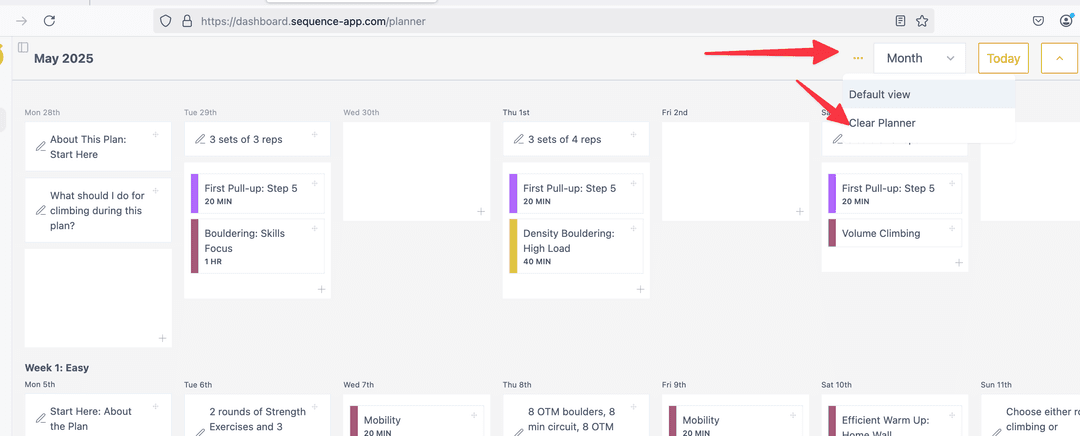
Choose whether to clear from the current week or next week. This removes all future scheduled items.
Clear a Week
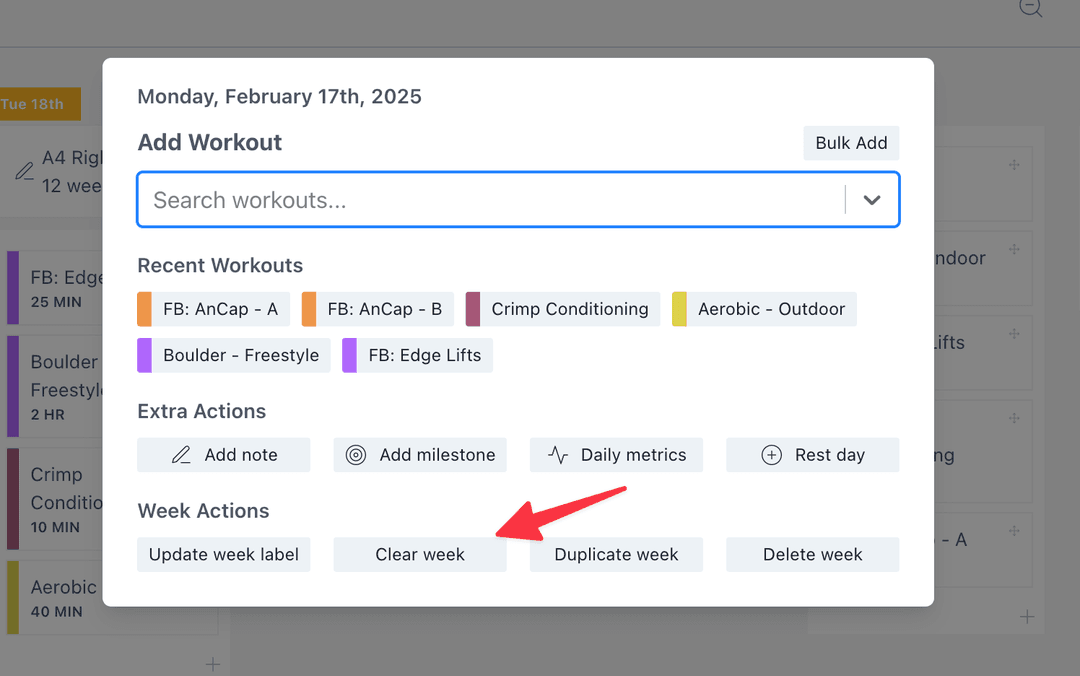
Click the first day of the week (Monday). In the popup, find Week Actions and select clear.
Clear Individual Items
To remove a single workout or note, either:
- Click the item to view its details, open the menu (⋮), and select Remove From Schedule
- Right-click the item and select Remove From Schedule