Rest Days
Sequence tracks rest days to help you monitor recovery and avoid overtraining.
How Rest Days Work
Sequence counts a day as rest when either:
- No workouts are completed that day, or
- You explicitly mark it as a Rest Day
You can do light activities such as rehab, stretching, or cardio and still mark the day as rest, if those don’t count as training load for you.
Marking a Rest Day
Click the day you want to mark as rest, then select the Rest day button in the modal.
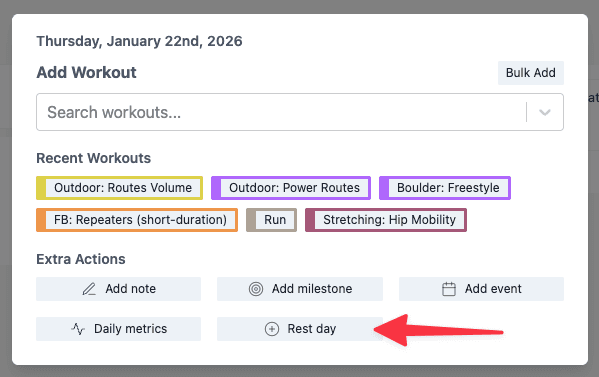
The day now shows a rest day icon and is styled differently to mark it as a rest day. To remove it, click the day and click the Rest day button again.
Rest Days in Metrics
Rest day counts appear throughout Sequence metrics, so you can see your ratio of training to recovery.
Related
- Daily metrics — Track recovery indicators like sleep and fatigue
- Incomplete workouts — Mark workouts you couldn’t complete
- Training plans — Build structured programmes with recovery