Daily Metrics
Daily metrics are physical variables you record each day, such as weight or resting heart rate. Tracking them shows how your training load affects other aspects of your health.
Setting Up Metrics
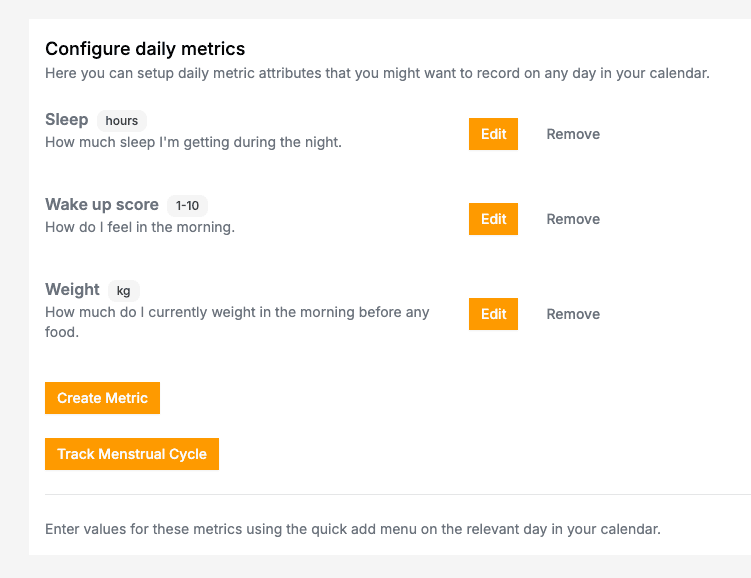
Open Daily Metrics settings
Click Metrics → Daily Metrics, or click a day in the planner, select the Daily Metrics option, and click Edit in the top right corner.
Create your metrics
Add the variables you want to track. Common examples:
- Weight
- Resting heart rate
- Sleep hours
- Energy level
- Wake up feeling
- Skin condition
Configure each metric
Set the name, unit of measurement, and any default values.
Recording Data
In the planner, click any day, select the Daily Metrics option, and enter your values for that day.
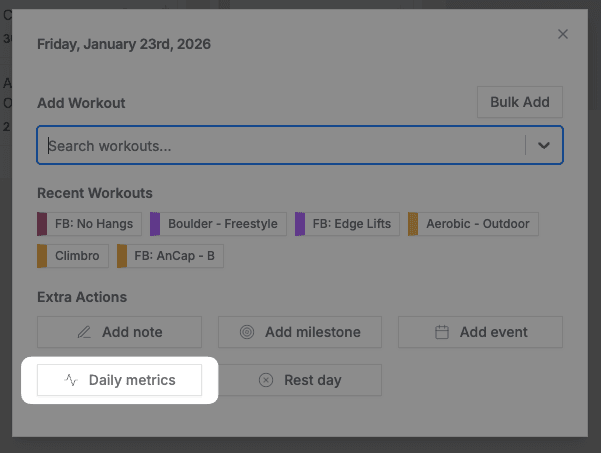
Days with recorded data show an icon. Click it to edit the values.
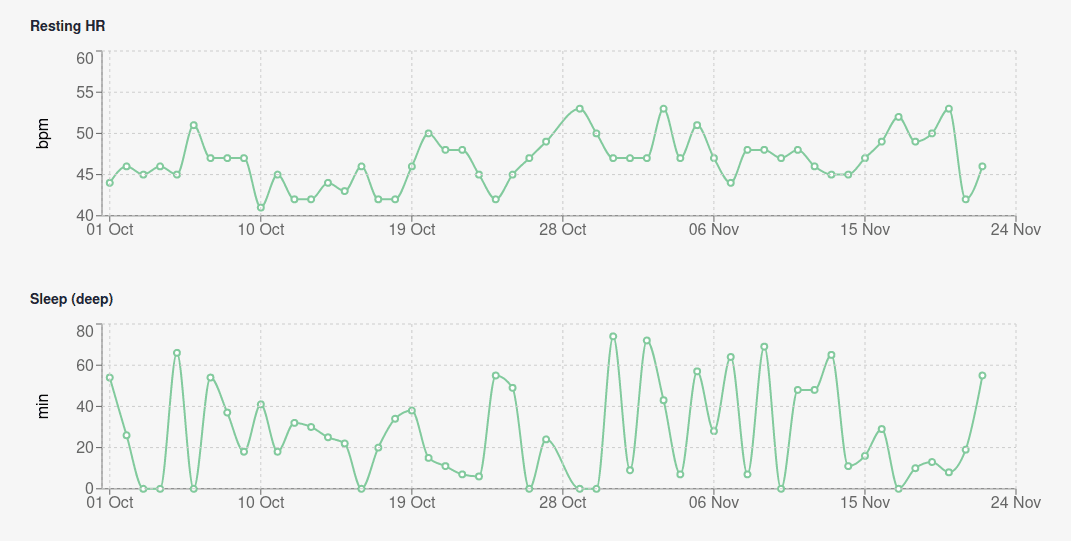
Viewing Trends
Go to Metrics → Daily Metrics to see graphs of your data over time.
Related
- Cycle tracking — Track your menstrual cycle alongside training
- Rest days — Plan recovery into your schedule
- Training plans — Structure your training programme