Events
Events record significant things that affect your climbing, such as competitions, trips, or injuries. Unlike workouts, they capture broader experiences that give context to your training.
Creating an Event
Start a new event
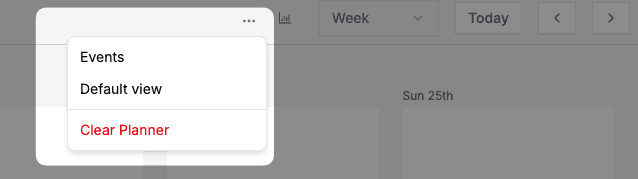
There are two ways to create an event. When viewing the planner, you can use the global header option:
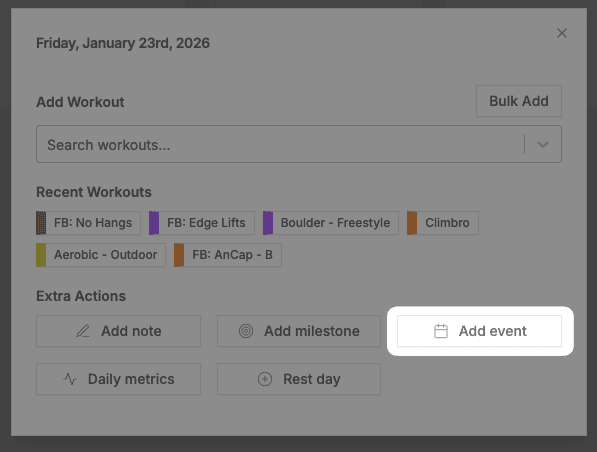
Or click any day in the planner and select the Add event option:
Fill in the details
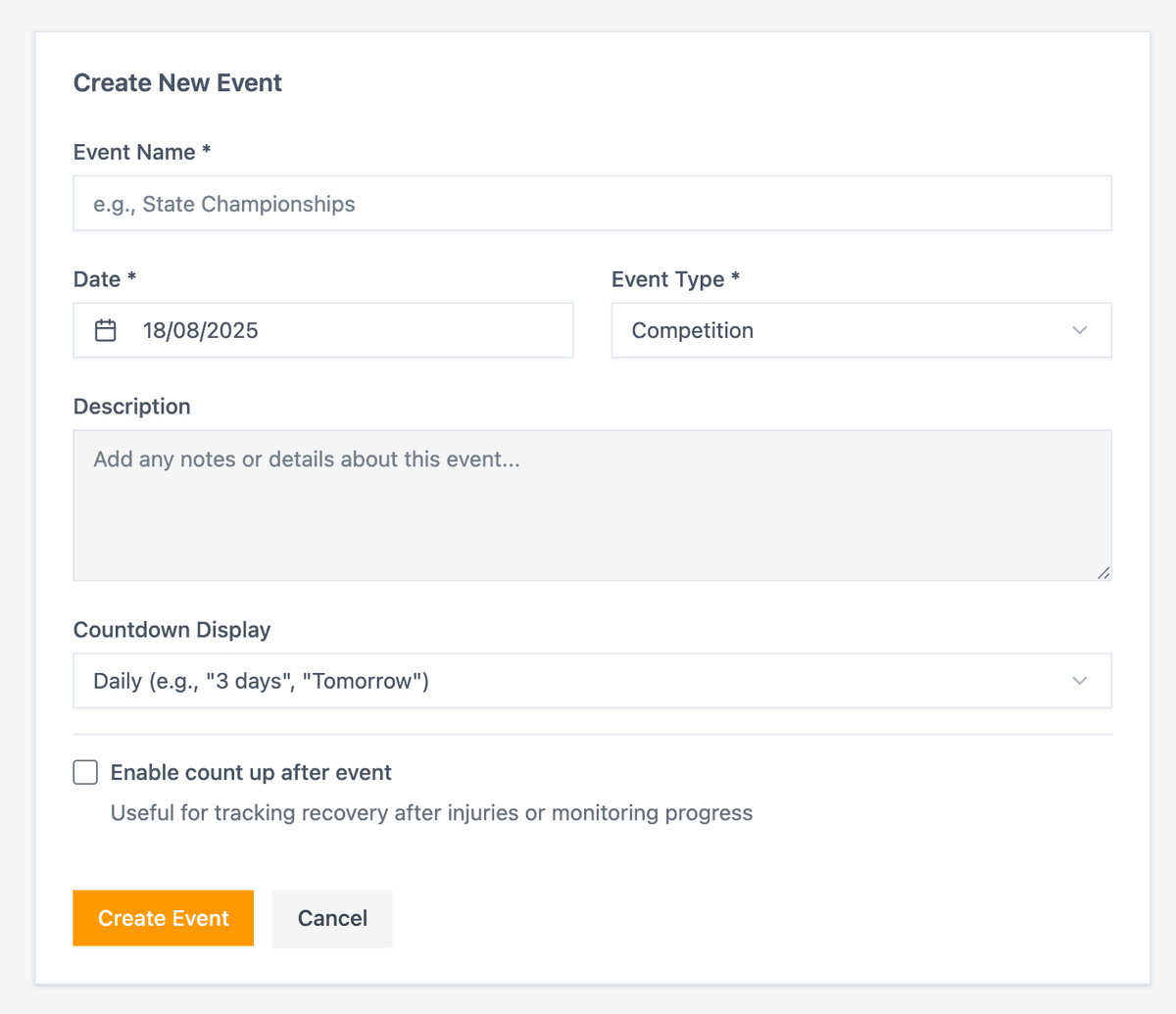
Enter the event information:
- Name — Descriptive title for the event
- Date Range — When it occurs
- Event Type — Competition, Trip, Injury Recovery, or Other
- Description — Outcomes, learnings, or relevant details
Configure display options
- Countdown — Show days until the event on your calendar (useful for competitions)
- Count up — Show days since the event (useful for injury recovery)
Event Types
| Type | Use For |
|---|---|
| Competition | Comps, local leagues, climbing festivals |
| Trip | Outdoor trips, destination climbing |
| Injury Recovery | Track healing progress with count-up display |
| Other | Training camps, rest periods, life events |
Viewing Events
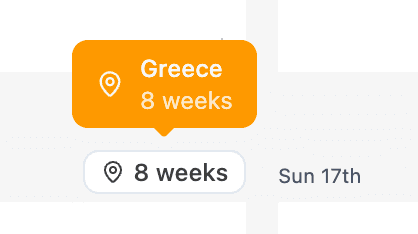
Events appear on your calendar with badges based on your display settings.
To view, edit, or delete events, go to the Events page.
Related
- Training plans — Structure training around upcoming events
- Goals — Set targets for competitions or trips
- Rest days — Schedule recovery around events